GCP — Proactive DQ Alert Setup
GCP — Proactive DQ Alert Setup
One of the critical aspects of the data ingestion is how to measure the quality of the data ingested and how to monitor the quality of the data and setup alerts when the quality controls fails.
This blog is my take on setting up pro-active data quality alerts on the data ingested in BigQuery.
High Level Architecture
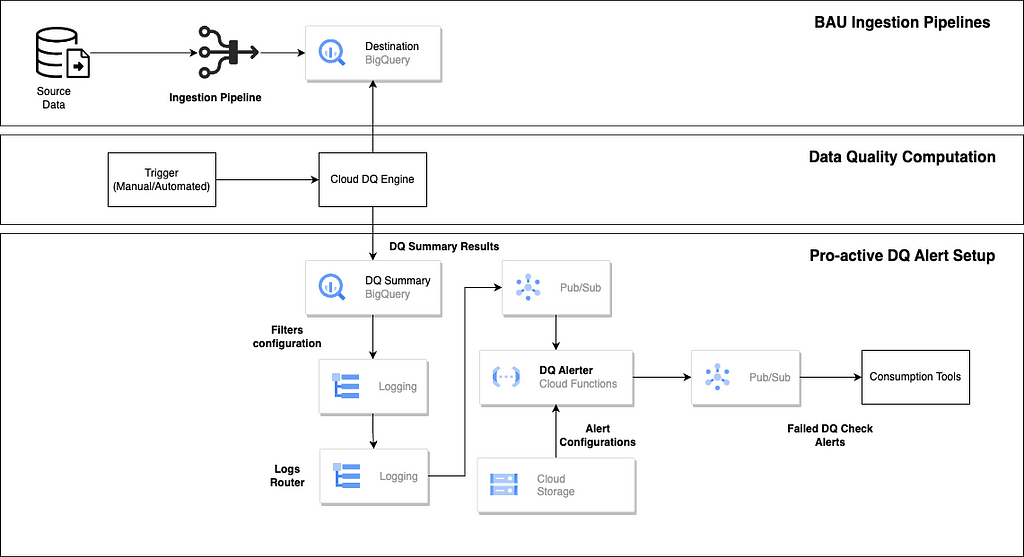
The top layer represents typical data ingestion pipeline which loads the data into Big Query. This is generally implemented using any migration or ETL tools (native/partner/external tools).
The Data Quality computation layer is implemented using open source cloud DQ engine.
Reference — https://github.com/GoogleCloudPl atform/cloud-data-quality
The cloud DQ engine is also available as part of Data Quality tasks offering in Dataplex
Cloud DQ engine provides configuration driven (YAML) approach to specify the data quality rules and provides a standard structure to store the data quality results.
Below is very simple representation of the YAML specification for cloud DQ
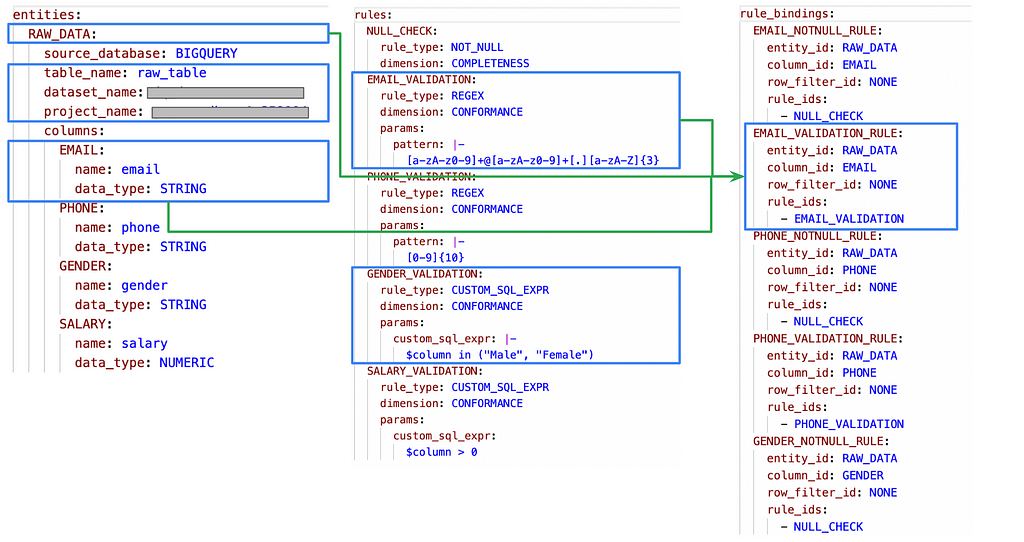
Based on the above configuration, the cloud DQ engine computes the results of data quality and publishes to the target table which has a fixed structure
The structure of the data quality output can be found in the link below
https://github.com/GoogleCloudPlatform/cloud-data-quality/blob/main/OVERVIEW.md
Below are some key col umns that we will be referring to setup the proactive data quality

The below parameters helps to identify each invocation of the cloud DQ job which will be entry point for the proactive data quality setup

The rule binding and rule will be key driver to setup the data quality alerts and checks

For this demo, I am using a very simple table as below. The concept can be extended on use-case basis.
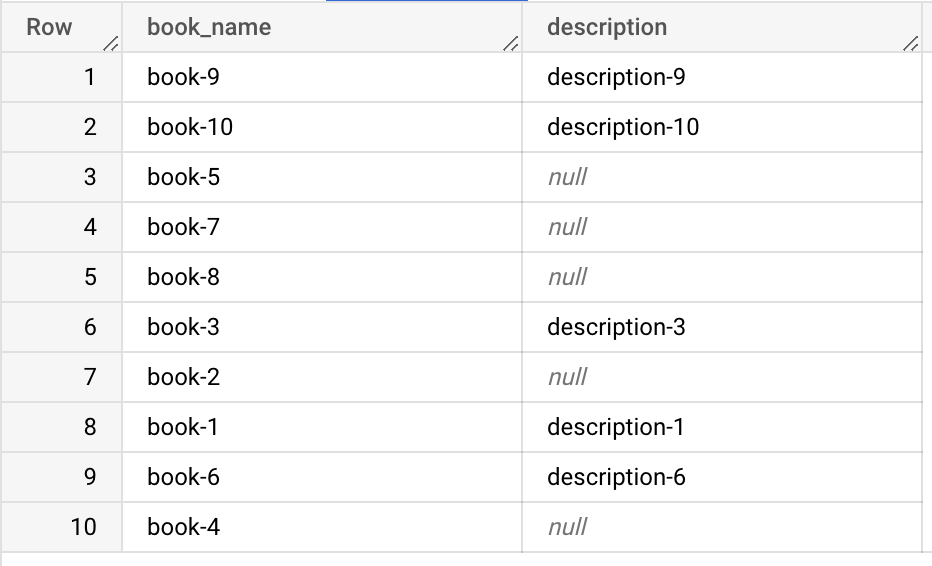
The purpose is to setup automatic alerts when the null percentage in description column falls below 50%.
The first approach is setup of Cloud DQ YAML configuration for the measuring the data quality on the above table.
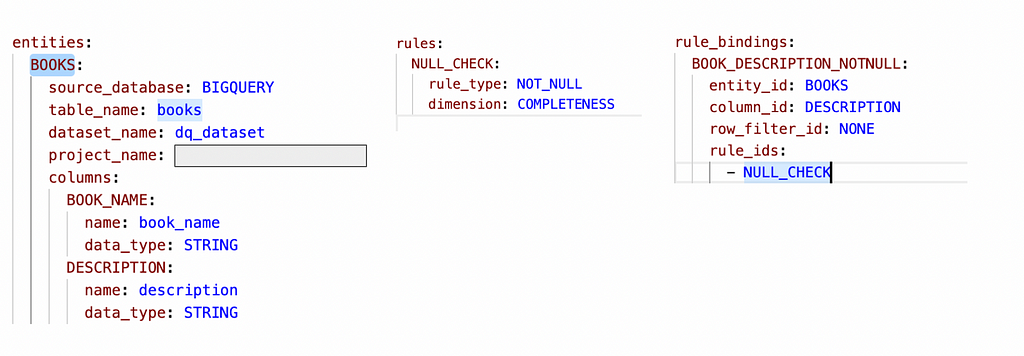
Once executed, the cloud DQ makes use of dbt to g enerate the models and summary tables in Big Query

This is how the json result summary looks in the Big Query summary table
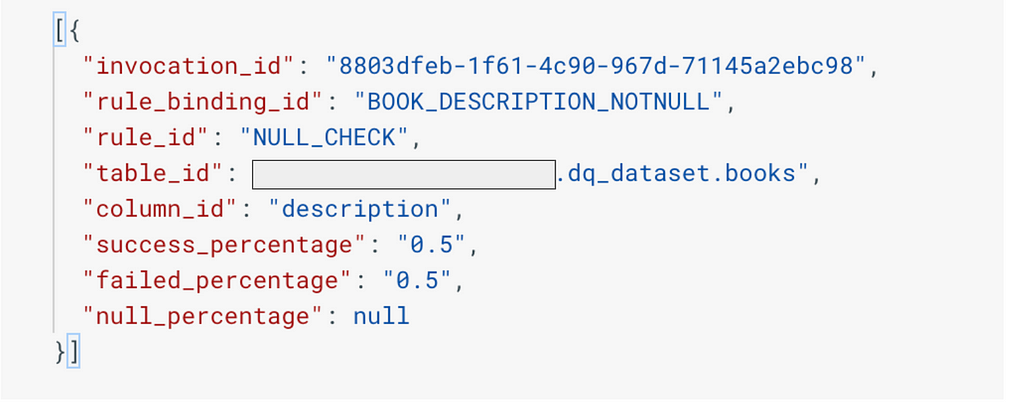
As expected success percentage (rows which are having non null description column) is at 50%
Now for the main topic of discussion on setting up automated alerts to check when the DQ falls below 50%
We will first setup a logs router in cloud logging with a specific log filter

The below log filter identifies logs related to cloud DQ job publish event on the target data quality summary table.
< p>The tableId and DatasetId is set to Big Query table where the cloud DQ job publishes the results on execution.
The destination of the logs router is configured as pub-sub topic
Below is the sample of the log message where by the invocation id of the cloud DQ job is highlighted.

This will be key entity for identifying the job which has got executed and the DQ alert which needs to be checked.
This logic of checking the DQ percentage is below/above the threshold will be handled via cloud function whose trigger will be the pub-sub topic.
The cloud function makes use of alert confi guration json file stored in GCS bucket to determine the thresholds to be alerted
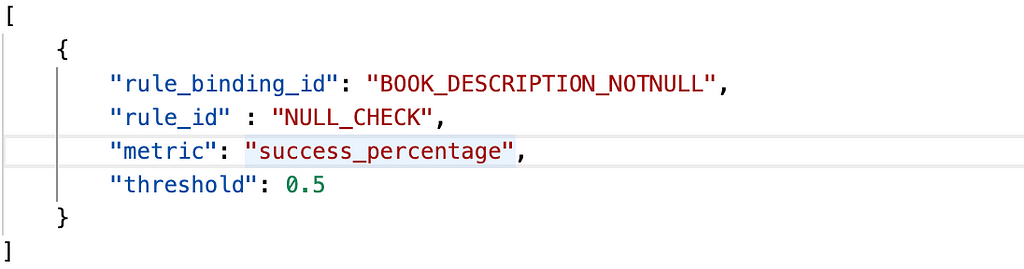
The threshold to alert is set at 50%.
The cloud function is python based function which will perform the following activities
1. On trigger from pub-sub, read the log message and get the "Invocation Id" of the cloud DQ job
2. Read the alert configuration from the GCS bucket
3. Create DQ check queries based on the alert configuration and query DQ summary dataset for the specific invocation id
4. If there are any records returned, alert by sending message to the alert pubsub topic

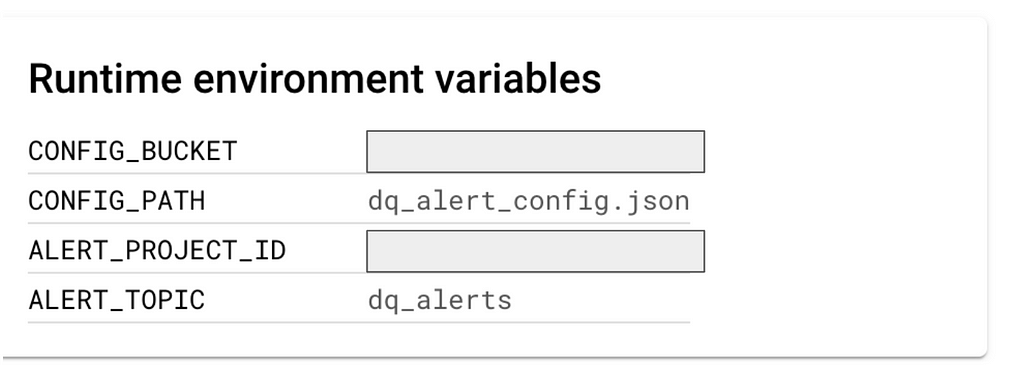
The cloud function accepts environ ment variables as below
CONFIG_PATH and CONFIG_BUCKET indicate the alert configuration json file which contains the threshold settings
ALERT_PROJECT_ID and ALERT_TOPIC is the pub-sub topic to which alerts will be sent.
Function reference
Utility function for reading the alert configuration file (json) from storage bucket

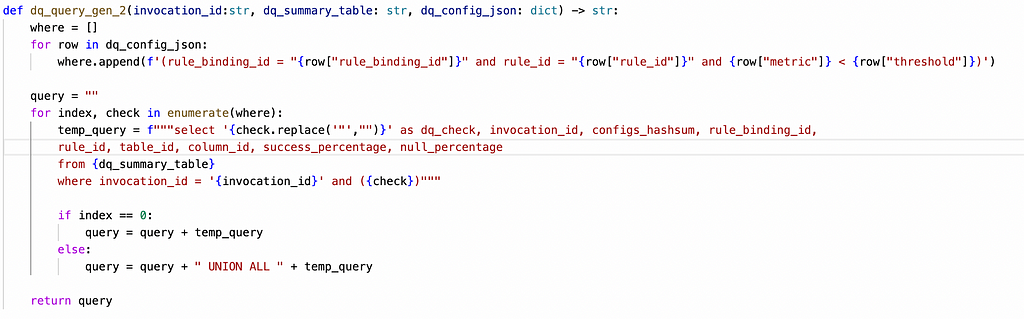
Utility function for generating DQ check Queries on the DQ summary table based on the alert configuration
Utility function for extracting the invocation id from the log message

Utility function for publishing the alerts to the alert pub-sub topic

Main Function which orchestrates the steps
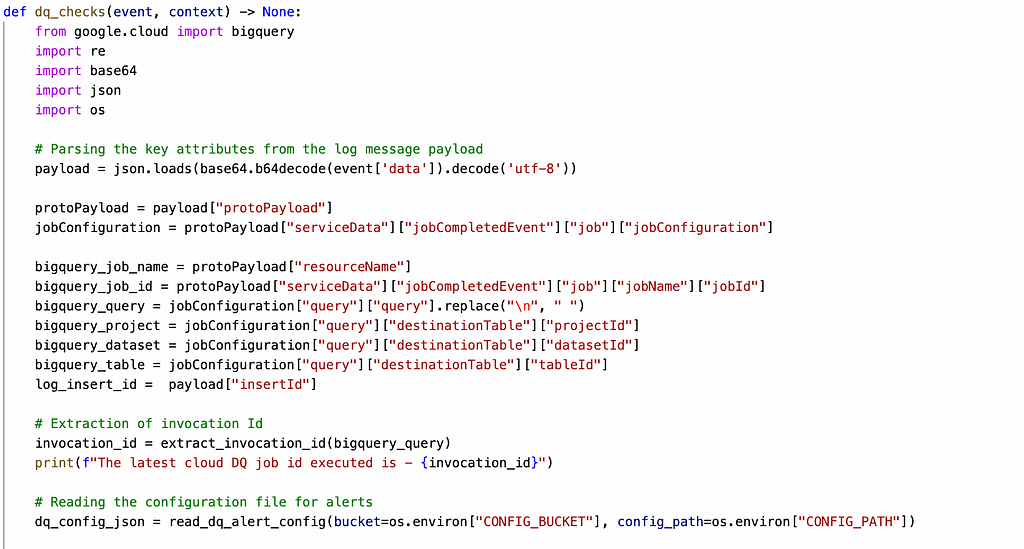
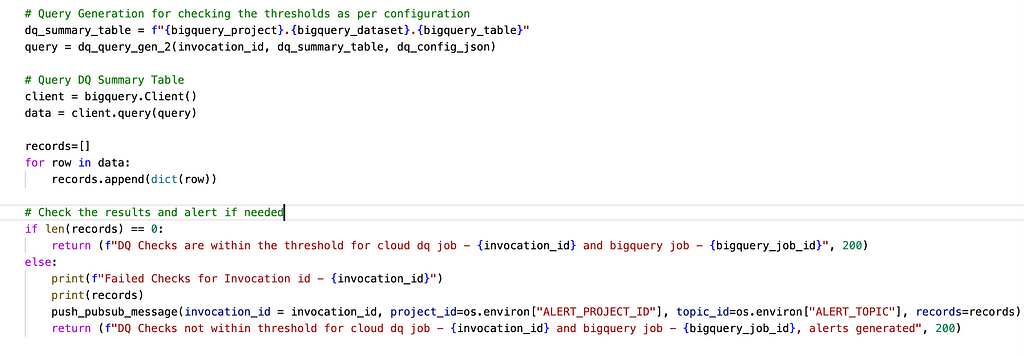
The last step is whenever the cloud DQ engine is executed, the cloud function gets triggered automatically, evaluates the threshold and alerts appropriately
Function Execution Logs

Pub-Sub Topic — Alert Message

The above message and attributes can be tweaked as per the consumption requirements.
Happy Coding !!
GCP — Proactive DQ Alert Setup was originally published in Google Cloud - Community on Medium, where people are continuing the conversation by highlighting and responding to this story.
Comments
Post a Comment