Using Terraform To Deploy A Docker Image To An ECS Cluster
Terraform & Docker practice
Must-Haves:
- An AWS account with necessary permissions
- AWS CLI configured in your environment
Note- I'll be using Cloud9 in AWS to build this out, if you're using another option you may need more pre-requisites
Step 1: Setting up our files
We're going to start out by creating the files we'll need in a new directory within your environment.
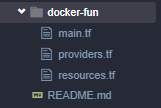
Once you've made your four main files it's time to populate those files with our infrastructure.
Step 2: The code
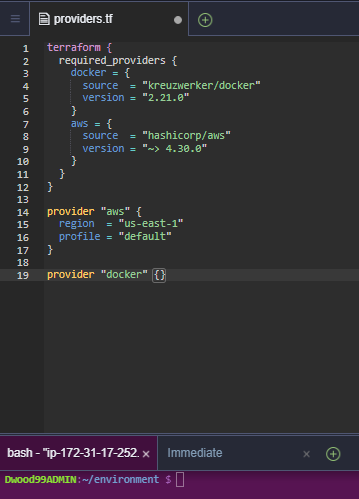
Now we'll add the code we need into each file, starting with providers.
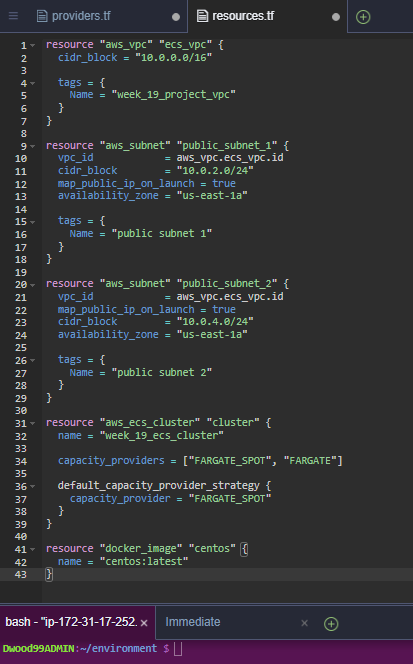
Then our resources.
Now for the main event, main.tf.

Make sure to set up this code with the availability zones and other settings that apply to you.
Step 3: Validation
Now before deployment, we're going to run a few commands to make sure everything is looking good. Starting with terraform init && terraform fmt -diff. I'm using the -diff extension so that my CLI will show me which files it has formatted.
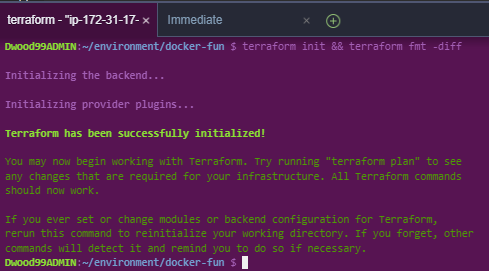
This cleans up our files and makes everything look much cleaner. Next, we'll run a terraform validate to make sure our files are correctly configured.

With everything lookin' good we'll run a terraform plan to see what all is being created.

Finally, we'll run a terraform apply. After entering a value to confirm the apply our infrastructure should be up and running.
Let's run and check ECS to make sure our cluster is deployed.
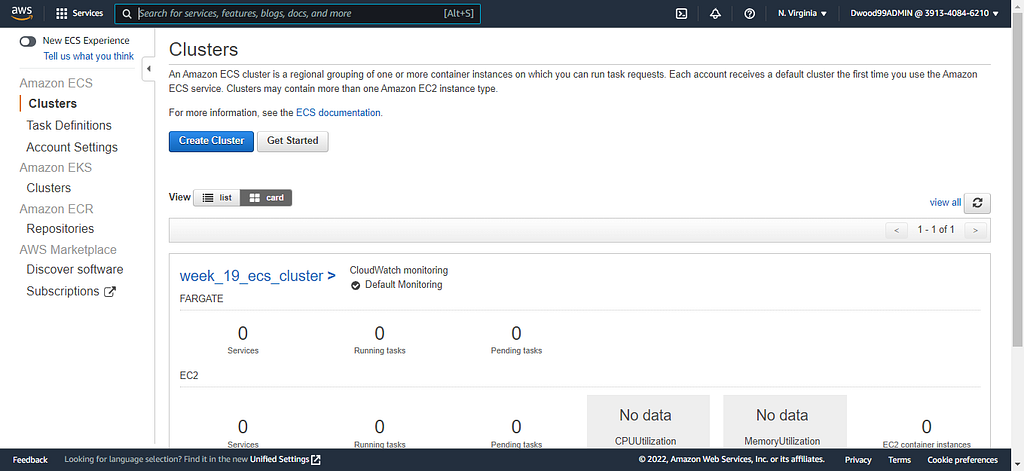
There it is!! Congrats!
Now be sure to run a terraform destroy to remove your resources.
Thanks for following along! I hope this article helps you along in your learning journey.
Best wishes! :D
Using Terraform To Deploy A Docker Image To An ECS Cluster was originally published in Towards AWS on Medium, where people are continuing the conversation by highlighting and responding to this story.
Comments
Post a Comment