GCP Cloud Logging : How to Enable Data Access Audit For Selected Buckets
GCP Cloud Logging : How to Enable Data Access Audit For Selected Buckets
Introduction
Data Access Audit Logs are used to trace and monitor API calls that create, modify or read user data or metadata on any GCP resource. The Data Access audit logs are disabled by default (except for BigQuery Data Access audit logs) because they can cause an explosion in the volume of logs being generated that in turn can shoot up usage costs.
Click Here learn how to enable data access audit logs. You will notice that the workflow allows you to select the type of audit log to enable (Admin Read, Data Read and Data Write) and also allows you to specify principles to exempt from the audit logging. For e .g. you may have a Dataproc workload that reads from a GCS bucket as part of a schedule. If you don't want to enable data access auditing for the service account used by Dataproc, then specify it under exempted principles.
But that is all you can configure while enabling data access audit logs. What if you want to exempt certain buckets from the access audits or go a step further and prevent specific operations? In this post, we will look at how to enable data access audit for GCS buckets within a project while excluding certain buckets within the same project from being audited.
This additional layer of filtering will help keep logging costs under control.
A Quick Overview On How Cloud Logging Works
All logging activities in Google Cloud Platform (GCP) are routed through the Logging API. The Logging API uses a robust architecture to deliver the logs you need - reliably and on-time.

Log entries are sent to the Logging API which then pass through a Log Router. Log Routers contain sinks that define "Which" logs need to be sent "Where".
If the sinks are not configured properly, logging could become one of the highest components that you get billed for. This is especially true if you have data access audit logging enabled.
Solution
- Once you have enabled Data Access Audit logs, make sure you have exempted all the principals whose access need not be logged.
- Then, navigate to Logging -> Logs Router (https://console.cloud.google.com/logs/router)

- You will see 2 sinks already created and defined for you: _Default and _Requ ired
- _Required is the sink that is used to route Admin Activity logs, System Audit logs and Access Transparency Logs. This sink can neither be edited nor disabled. You do not incur any charges for logs routed through this sink.
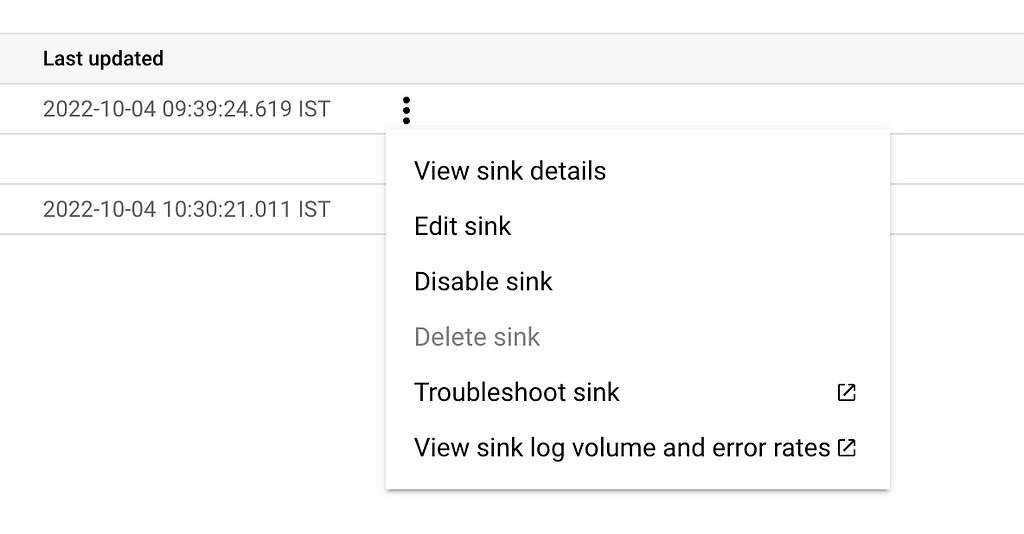
- _Default is the sink that routes all other logs including data access audit logs. This sink can be edited and also disabled. Click on the 3-dot dropdown and select "Edit Sink"
- Look for the section titled — Choose logs to filter out of sink. This is where you can define which logs you want the router to filter out and not send to the destination specified in the sink.
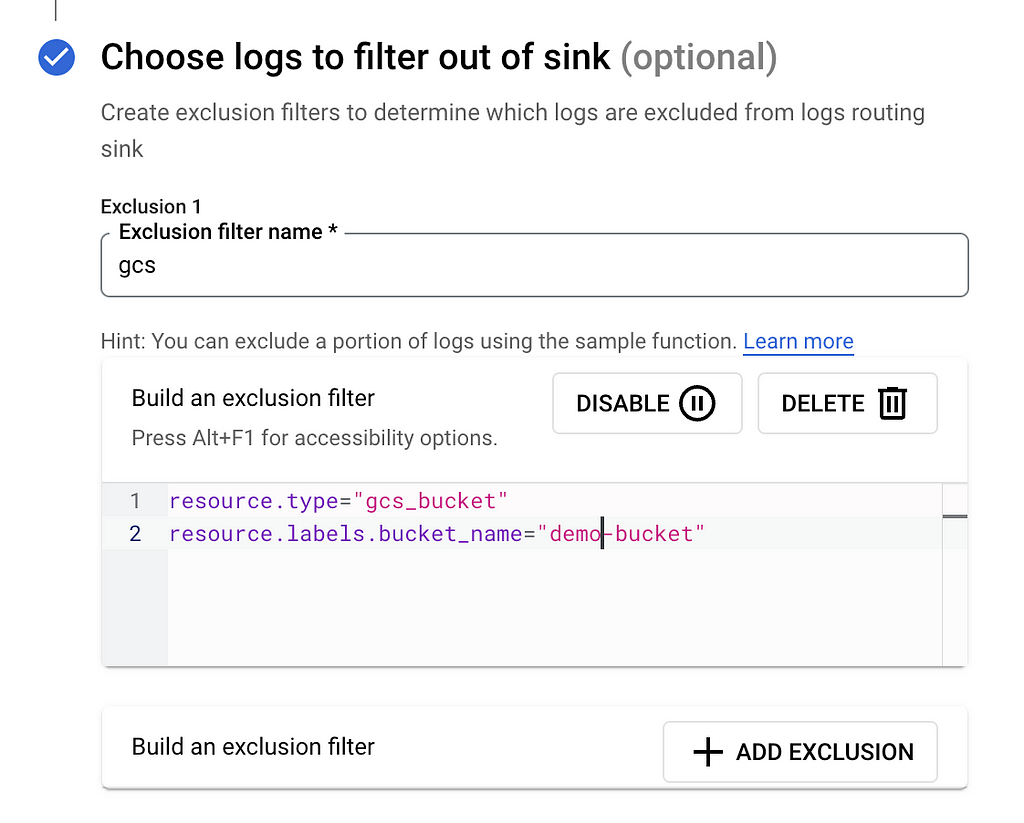
- The exclusion filter (and also the inclusion filter) needs to be defined using the Logging Query Language
- In the above example, I have defined a simple exclusion rule that filters out data access logs arising out of API activity in a bucket named — demo-bucket.
resource.type="gcs_bucket"
resource.labels.bucket_name="demo-bucket"
- Detailed documentation on the Logging Query Language can be found HERE
- If you prefer not to mess around with the pre-defined _Default sink, you can create a new sink and specify your custom rules and conditions there. Ensure that the _Default sink is disabled otherwise logs will be routed to both destinations resulting in an increase in costs.
What If You Want To Exclude Only Specific Operations?
The Logging Query Language allows you to quer y logs not just at a resource level but also at an operations level provided the metadata is defined in the payload. For e.g., you can use the below query to exclude all list operations on a bucket named — demo-bucket
resource.type="gcs_bucket"
resource.labels.bucket_name="demo-bucket"
logName="projects/<project-name>/logs/cloudaudit.googleapis.com%2Fdata_access"
protoPayload.methodName="storage.objects.list"
Logging Query Language provides the opportunities to write a variety of complex queries to make your filters go as generic or as granular as you need.
Things to Remember
- Log entries excluded from a sink will continue to use the entries.write API quota since filtering happens after the Logging API receives the entry
- Exclusion filters take precedence over inclusion filters. So if any log entry overlaps an Exclusion and an Inclusion filter, the entry will get excluded regardl ess.
- If no filters are specified, then all logs are routed by default.
- When you exclude a log entry, it neither incurs ingestion charges nor storage charges.
GCP Cloud Logging : How to Enable Data Access Audit For Selected Buckets was originally published in Google Cloud - Community on Medium, where people are continuing the conversation by highlighting and responding to this story.
Comments
Post a Comment