Adding content negotiation to minimal APIs with Carter
In my previous post I described how to return XML from a minimal API endpoint. In this post I look at an alternative approach, using the open source library, Carter.
Content Negotiation in minimal APIs with Carter

In my previous post I stated that:
Minimal APIs don't support conneg so if that's a feature you really need then it's probably best to use Web APIs instead.
While this is tehnically correct (you can read about content negotiation here), there's another option, as pointed out by Jonathan Channon:
use @CarterLibs and implement your own IResponseNegoiator. Job done ;)
â€" Jonathan Channon (@jchannon) July 6, 2022Carter has been on my radar for a while, so this was the perfect excuse to give it a try! In this post I show a quick getting started with Carter, then create a custom
IResponseNegoiatorin Car ter to allow XML content negotiation with minimal APIs.Getting started with Carter
Carter is a framework that is a thin layer of extension methods and functionality over ASP.NET Core allowing the code to be more explicit and most importantly more enjoyable.
You can think of Carter as adding some important extra features and structure to minimal APIs. Carter focuses on organising your APIs into modules, and layers on convenience extensions for validation, for working with files, and for content negotiation (the focus of this post)!
Let's start by creating a new minimal API application, and converting it to use Carter:
dotnet new web dotnet new sln dotnet sln add . dotnet add package carterThis creates a typical, empty, minimal API application:
var builder = WebApplication.CreateBuilder(args); var app = builder.Build(); app.MapGet("/", "Hello World!"); app.Run();First off, let's convert this to return a
Personobject from the API:var builder = WebApplication.CreateBuilder(args); var app = builder.Build(); app.MapGet("/", () => new Person { FirstName = "Andrew", LastName = "Lock" }); app.Run(); public class Person { public string? FirstName { get; init; } public string? LastName { get; init; } }There's nothing "Carter-ised" about this yet, this is a simple minimal API that will return JSON. For the next step, we'll convert this app to Carter.
using Carter; using Carter.Response; var builder = WebApplication.CreateBuilder(args); // ðŸ'‡ Add the required Carter services builder.Services.AddCarter(); var app = builder.Build(); // ðŸ'‡ find all the Carter modules and register all the APIs app.MapCarter(); app.Run(); // ðŸ'‡ Create a Carter module for the API public class PersonModule : ICarterModule { public void AddRoutes(IEndpointRouteBuilder app) { app.MapGet("/", () => new Person { FirstName = "Andrew", LastName = "Lock" }); } }In the above example, we added the Carter services to the DI container using
AddCarter(), created anICarterModule, and registered all the modules in the app usingMapCarter().If you run the app now, it won't seem any different to a "normal" minimal API. The big advantage here is the structure afforded by the
ICarterModuleimplementations:
Ok, now we have a Carter app, it's time to add in content negotiation.
Adding support for XML content negotation with Carter
To add content negotiation for additional media types (in addition to JSON) we need to do three things:< /p>
- Create a custom
IResponseNegotiatorthat serializes to the required format.- Register the
IResponseNegotiatorwith Carter.- Use the
HttpResponse.Negotiate()extension method to run Carter's content negotation.In this example we'll create an XML
IResponseNegotiatorso we can return XML to clients that support it.In my previous post Muhammad Rehan Saeed pointed out that the
DataContractSerializeris intended to be faster than theXmlSerializerI used in my previous post, so in this post I'll useDataContractSerializer!1. Creating a custom IResponseNegotiator
To implement
IResponseNegotiatoryou need to implement two methods:public interface IResponseNegotiator { bool CanHandle(MediaTypeHeaderValue accept); Task Handle(HttpRequest req, HttpResponse res, object model, CancellationToken cancellationToken); }
CanHandlepasses in theAcceptheader value, and is used to check whether the client making the request can handle the format you support. In theHandlemethod, you serialize the providedmodelto theHttpResponsein the correct format.In our case, we check to see if the client supports
application/xml, and we serialize the model to XML using theDataContractSerializer. Note in this case I've jumped straight to using theRecyclableMemoryStreamManager, as I described in my previous post to reduce memory pressure over usingMemoryStream.using System.Runtime.Serialization; using Carter; using Microsoft.IO; using Microsoft.Net.Http.Headers; public class XmlResponseNegotiator : IResponseNegotiator { public bool CanHandle(MediaTypeHeaderValue accept) => accept.MatchesMediaType("application/xml"); // ðŸ'ˆ Does the client accept XML? public async Task Handle(HttpRequest req, HttpResponse res, object model, CancellationToken cancellationToken) { res.ContentType = "application/xml"; // Create a serializer for the model type var serializer = new DataContractSerializer(model.GetType()); // Rent a memory stream and serialize the model using var ms = StreamManager.Instance.GetStream(); serializer.WriteObject(ms, model); ms.Position = 0; // Write the memory stream to the response Body await ms.CopyToAsync(res.Body, cancellationToken); } } public static class StreamManager { // ðŸ'‡ Create a shared RecyclableMemoryStreamManager instance public static readonly RecyclableMemoryStreamManager Instance = new(); }Once you've created the
IResponseNegotiatorimplementation, you need to register it with Carter.2. Registering the custom IResponseNegotiator
You register the
IResponseNegotiatorby configuring the options in theAddCarter()call and callingWithResponseNegotiator<T>():using Carter; var builder = WebApplication.CreateBuilder(args); // ðŸ'‡ Register the IResponseNegotiator with Carter builder.Services.AddCarter(configurator: c => { c.WithResponseNegotiator<XmlResponseNegotiator>(); }); var app = builder.Build(); app.MapCarter(); app.Run();The final step is to update the APIs in
ICarterModule.3. Use Carter's content negotiation
By default, minimal APIs in Carter return only JSON, the same as they do with "raw" minimal APIs. To use content negotiation, you have to call an extension method,
HttpResponse.Negotiate(), and pass in the object to serialize:public class HomeModule : ICarterModule { public void AddRoutes(IEndpointRouteBuilder app) { // ðŸ'‡ Call Negotiate on the HttpResponse to trigger conneg app.MapGet("/", (HttpResponse resp) => resp.Negotiate(new Person { FirstName = "Andrew", LastName = "Lock" })); } }With this change, Carter will check the
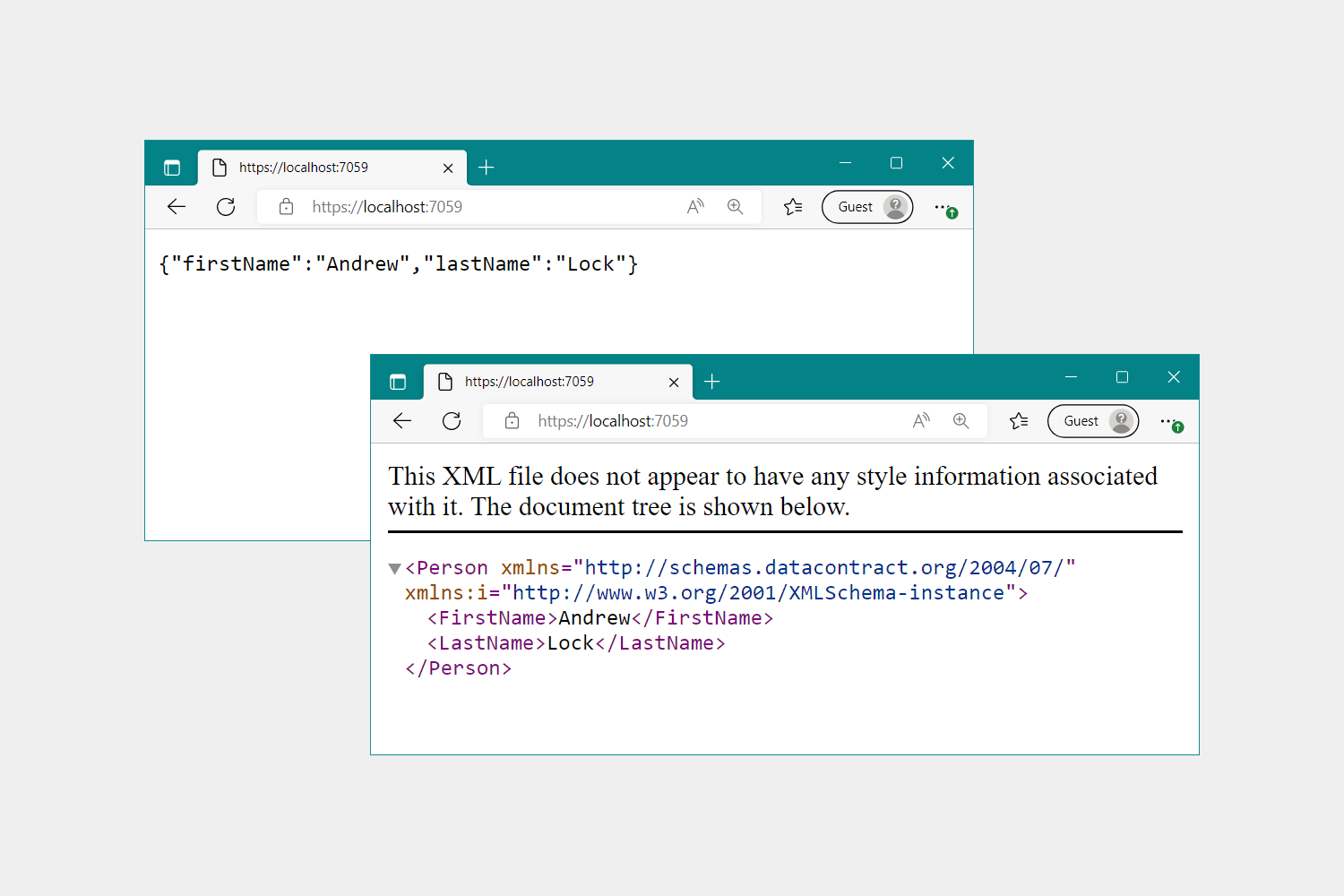
Acceptheader to see which media types the client accepts (starting with the highest "quality" media types), and see if there is anIResponseNegotiatorthat can handle it. If no negotiator can be found, Carter will default to using JSON as a last resort.With all the changes above, if you now hit the application above in a browser, then based on a typical
Acceptheader like:.text/html,application/xhtml+xml,application/xml;q=0.9,image/avif,image/webp,image/apng,*/*;q=0.8,application/signed-exchange;v=b3;q=0.9then the app will respond with XML!
Summary
In this post I gave a brief introduction to Carter, and showed how you can use it to perform simple content negotiation in an ASP.NET Core app. Carter allows you to create multiple
IResponseNegotiatorimplementations which each handle a single media type, such asapplication/xml. You can invoke the negotiators by calling the Carter extension methodHttpResponse.Negotiatein your minimal API handlers. This will check which negotatiors are available, and use the best option based on the request'sAcceptheader.Namaste Devops is a one stop solution view, read and learn Devops Articles selected from worlds Top Devops content publishers inclusing AWS, Azure and others. All the credit/appreciations/issues apart from the Clean UI and faster loading time goes to original author.


Comments
Post a Comment